Upgrade USPS before January 25, 2026
The United States Postal Service has announced that the Web Tools API platform will be retired on January 25, 2026. To avoid any service disruptions, you should upgrade to the new USPS APIs as soon as possible. ShopSite 15 SP1 supports the new APIs, and in this post I’ll show you how to switch over.
There are three main parts to start using the new APIs:
- Complete the first three Steps on the USPS Getting Started page.
- Enter the Key and Secret obtained from the USPS Portal into ShopSite.
- Configure shipping dimensions
USPS Getting Started
From ShopSite’s back office go to Configure > Shipping > U.S. Postal Service and click on the USPS Getting Started Guide link. This will take you to the USPS developer web site where five steps are listed (you only need to do the first three).
USPS Step 1
The first step directs you to the USPS Customer Onboarding Portal (COP). Log in to your USPS Business Account, or create one if you do not already have one. After signing in or creating your account, you will be taken to the USPS Business Portal.
USPS Step 2
From the USPS Portal click the My Apps nav at the top of the screen.
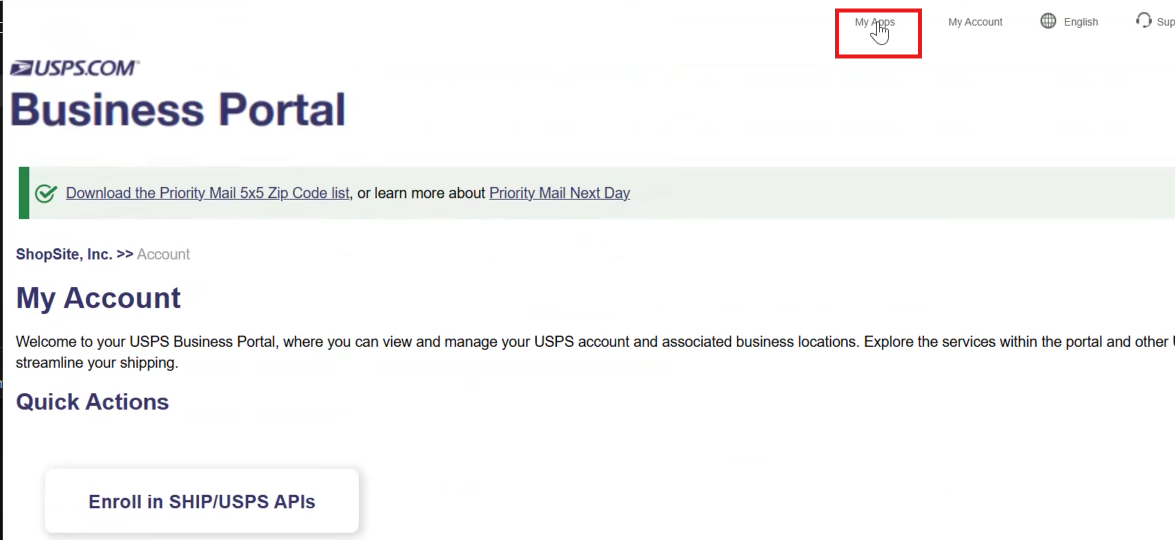
You now need to register ShopSite—what USPS calls an App—to use their APIs. Although USPS lists six steps, you can ignore the optional ones. To begin, click the Developer Apps tab.
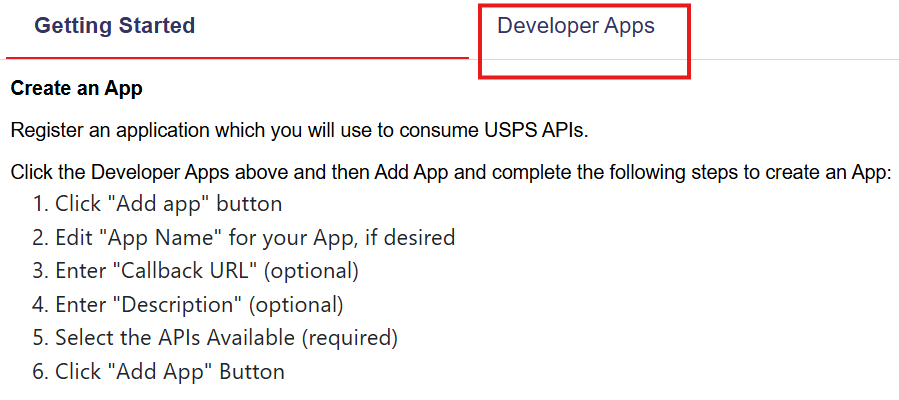
After you Add an App and enter an app name (for example, ShopSite), be sure to check the box for Public Access. This allows you to receive up to 60 rate quotes per hour from USPS. If you need a higher limit, you will need to contact USPS to increase your quota.
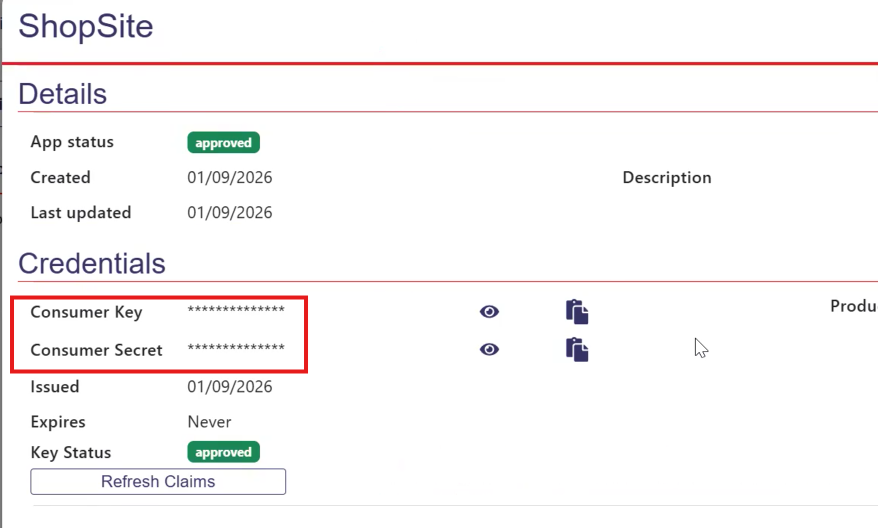
Once the app is created, you’ll see the app details, including the Consumer Key and Consumer Secret. You can also access this screen later by selecting Manage App.
Entering the Key and Secret in ShopSite
Click the clipboard icon next to the Consumer Key to copy it, then paste it into the corresponding field in ShopSite’s USPS configuration screen. Repeat the process for the Consumer Secret.
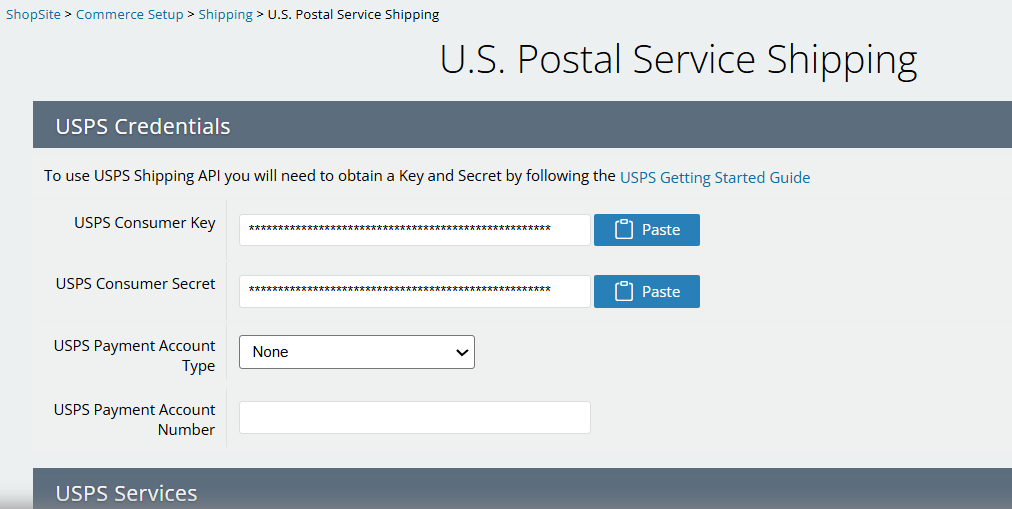
The Payment Account Type and Payment Account Number do not need to be entered if you are using the default Public Access limit of 60 queries per hour.
Configure Shipping Dimensions
Previous APIs did not require shipping dimensions but this new API does. If you have not previously had dimensions you have two ways to configure them.
Enter a Minimum Size
On the same USPS configuration screen you can enter a minium size to use if your product does not have a specific size.

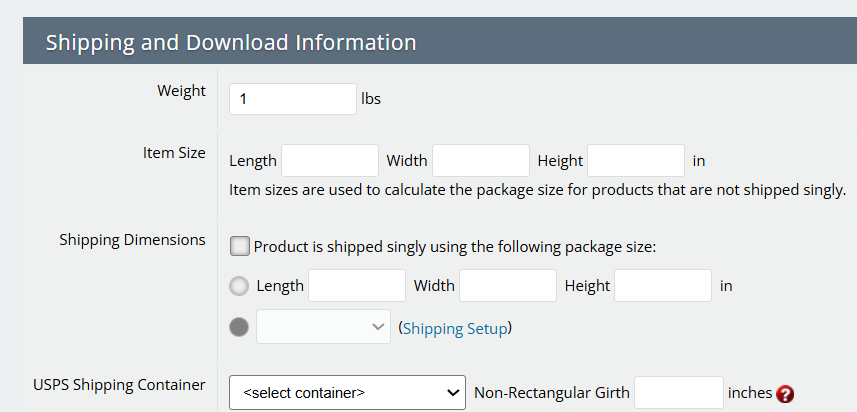
Enter a Product Specific Size
Where you create or edit a product there is a section for shipping information specific to that product. For more accurate shipping calculations with USPS enter your product size here.
Summary
Setting up the new USPS APIs is a bit convoluted, but once everything is configured, you’re all set!